
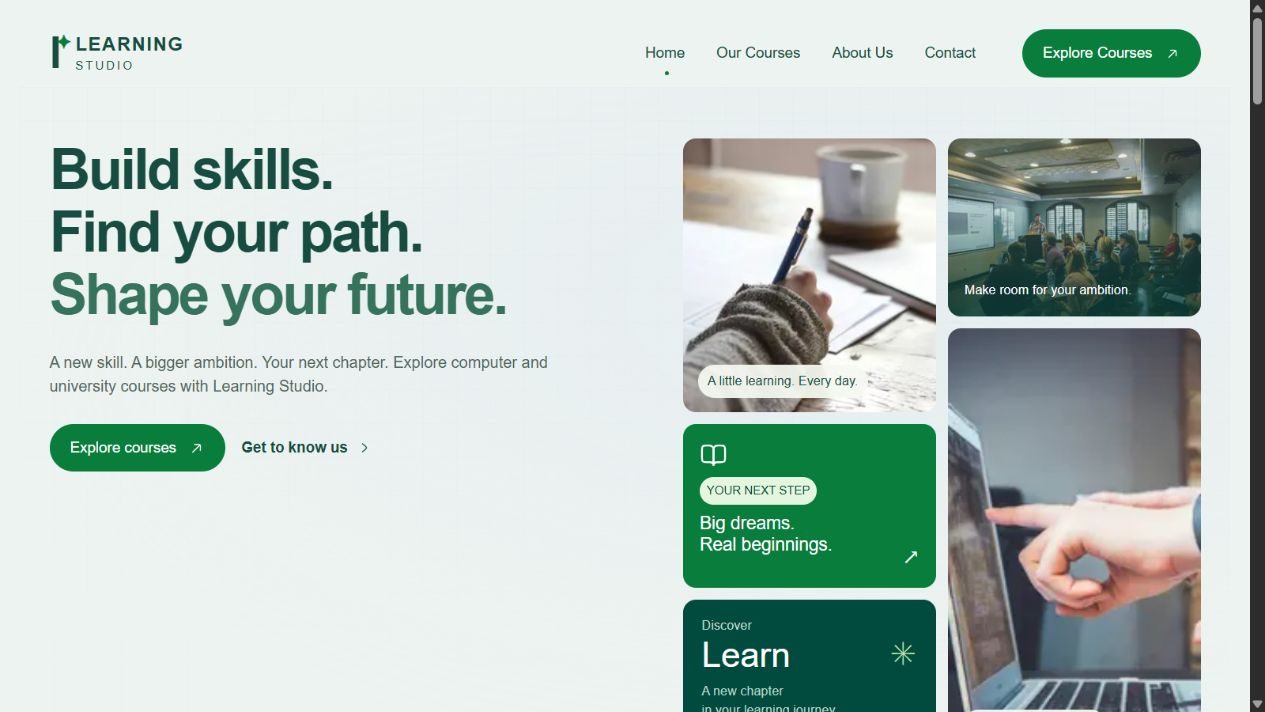
Learning Studio is an independent education website concept. It explores how someone can discover a course, understand what it involves, and find a clear next step.
The project began as an institute website brief. When the engagement did not proceed, I removed the former organisation’s identity and personal information and continued developing the interface as a portfolio concept. Learning Studio is a working name. This is a design and frontend project with illustrative educational content.
My contribution
- Concept: Developed two learning pathways and a clear browsing structure for computer and university courses.
- Design: Adapted the visual reference into a mint-and-green interface, refined typography, and designed responsive course cards and detail pages.
- Development: Built the Next.js frontend, catalogue search and filters, mobile navigation, and reusable animated accordions.
Course discovery with a clear direction
The homepage gives computer and university courses separate entry points. The catalogue contains ten listings per category, with search and URL-backed filters. Course pages provide an overview, learning outcomes, syllabus, pricing information, faculty space, certificate details, and FAQs.
The course outlines are illustrative. Unconfirmed fees, teaching arrangements, and admission details remain clearly identified rather than being presented as established offerings.
Making the interface easier to read
Iteration focused on stronger headings, readable body text, and compact course cards. Relative font sizes support browser scaling, and the mobile text-input baseline is 16px at default browser settings.
The hero was simplified by removing its eyebrow label and location block. This gives the main heading a clearer position and keeps the introduction focused on the learning pathways.
Interaction that supports the content
The learning section uses an accordion that always keeps one point open. Choosing another point closes the previous one and crossfades the adjacent image. FAQs use the same single-open behaviour, with smooth height transitions and support for reduced-motion preferences.
The full-screen mobile menu uses a native modal dialog for focus containment, Escape dismissal, and focus return. Background scrolling is locked while it is open.
Course pages use a sticky pricing sidebar on desktop and a fixed enquiry bar on mobile. Enquiry actions currently lead to the contact-information page, since this independent demo has no active admissions channel.
A frontend foundation for later content management
The stack is Next.js, TypeScript, Tailwind CSS, Framer Motion, and Hugeicons. Course content is separate from page layouts, with shared components for cards, accordions, navigation, and enquiry controls.
Sanity remains a planned integration. This version has no accounts, payments, stored applications, or live admissions workflow.
Current status
The frontend MVP is implemented. TypeScript and production builds pass, and browser checks covered catalogue filtering, responsive layouts, portrait loading, accordion exclusivity, image switching, and mobile navigation.
The project demonstrates interface design and frontend development. It makes no claim about enrolment growth or business results.