
1. Project Introduction
When buying technical hardware—whether it's a customized gaming laptop, a server motherboard, or a 4K surveillance camera—the customer's purchase decision hinges on granular specifications.
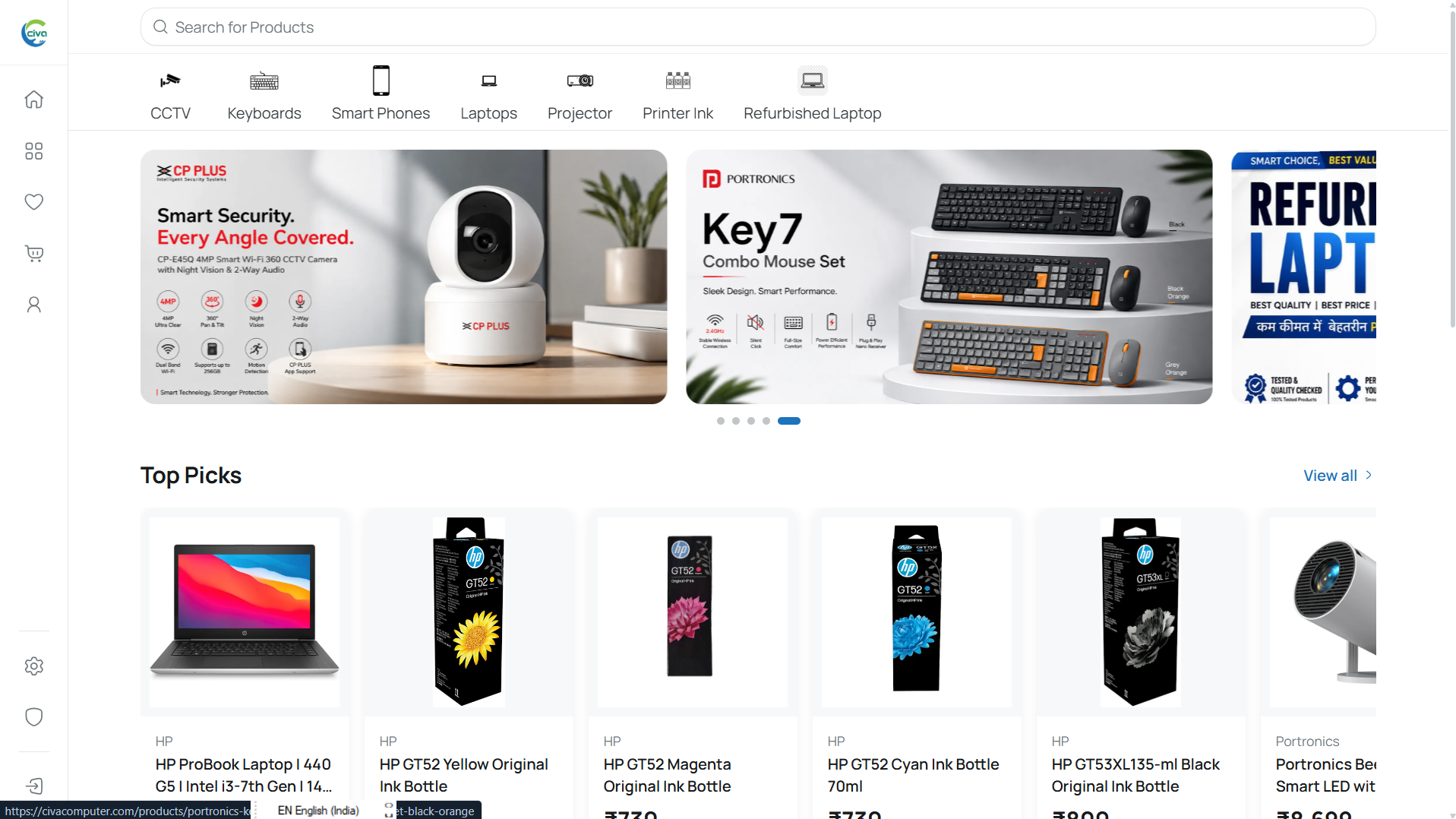
The Customer Store is the public acquisition engine for CIVA. It is a standalone Next.js 16 application engineered for sub-second page transitions, dynamic OpenGraph metadata for social sharing, and instant client-side specification resolution.
Project:      CIVA Customer Store
Role:         Frontend Architecture, UI/UX, Dynamic PDP Matrix & Cart Engine
Stack:        Next.js 16 (App Router), React 19, TypeScript, Tailwind CSS, Zustand
Status:       Active Build / Staging
2. The Situation
Before building this dedicated customer store, the store's previous workflow relied on a single generic e-commerce template.
Laptops with five different RAM and storage combinations were listed as five completely separate products in the catalog. If a customer landed on a 16GB RAM laptop via Google search, there was no intuitive way to switch to the 32GB model without navigating back to the search page and hunting for the other listing.
The catalog was fragmented, search rankings were cannibalizing each other, and customers were bouncing because comparing hardware configurations required opening six browser tabs.
3. The Problem
Hardware products don't fit into the standard "Size: S/M/L" clothing box.
- Multi-Dimensional Option Matrices: A customer might select
Color: Space Grey,RAM: 32GB, andSSD: 1TB. The store needs to immediately resolve whether that exact combination exists in inventory, calculate discount tiers, update the custom warehouse SKU, and swap the image gallery to that specific colorway without a full page reload. - Contextual Technical Highlights: A motherboard overview should highlight
Socket TypeandPCIe Slots, while a CCTV camera should highlightNight Vision RangeandWeatherproof Rating. Hardcoding these highlights into layout templates is unmaintainable. - Stale Cart Drift: In fast-moving hardware markets with fluctuating stock, cart items stored in local state frequently go stale between sessions.
4. My First Assumption
My initial assumption was simple: "Just fetch all variants on the server, pass them as a JSON prop to the Product Detail Page (PDP), and let a simple useState hook filter the array whenever an option is clicked."
I thought a standard array filter would take an afternoon to write.
5. What I Discovered
As soon as I loaded real hardware products with 12+ combined options (e.g. 3 colors × 2 processors × 3 storage tiers = 18 variants), that simple useState approach collapsed:
- The Invalid Combination Dead-End: If
Silverwas only manufactured in16GB RAM, and a user currently had32GB RAMselected, clickingSilvercaused the selector to enter an impossible null state where no price or buy button could render. - Gallery Desynchronization: If an image gallery contained five universal photos and two color-specific photos, switching colors wiped out the user's current slide position and created jarring layout jumps.
- SEO Metadata Cannibalization: Social crawlers and search engine bots scraping the page couldn't see variant-specific pricing without client-side hydration.
6. The Turning Point
The breakthrough came when I stopped treating the PDP as a collection of loose dropdowns and started treating it as a State Resolution Engine.
Instead of allowing users to click into dead-ends, every option click passes through a resolution matrix:
User Clicks "32GB RAM"
  ↓
1. Scan all active variants containing [32GB RAM].
2. Identify remaining compatible dimensions (Color, Storage).
3. Auto-reconcile nearest valid variant combination.
4. Update Price, Stock Badge, and Gallery in one atomic tick.
If a selection would result in an impossible combination, the interface subtly disables the incompatible chips while showing the price difference directly on the chip label ("+ $150").
7. Decisions & Experiments
Standalone App Router Over Monorepo Coupling
We deliberately isolated the customer storefront in its own repository (civa-storefront) rather than bundling it with the admin panel. This allowed us to enable aggressive edge caching, optimize image loaders specifically for mobile devices, and deploy frontend updates in seconds without rebuilding backend services.
Global Zustand Cart with Authoritative Server Revalidation
We structured the cart using Zustand with localStorage persistence for instant drawer animations. However, before the user transitions to checkout, an interceptor queries /api/cart/validate to verify live prices, promotional deal timers, and actual warehouse stock against the database.
8. What Didn't Work
1. Client-Side Only Data Fetching
In an early prototype, we used client-side useEffect calls to fetch product details. While the interactive matrix worked, initial page loads suffered from a 400ms layout shift (CLS), and search engines indexed empty shell templates. We rewrote the route to server-render initial HTML and dynamic OpenGraph cards using Next.js Server Components.
2. Deeply Nested URL Search Params for Every Micro-Selection
We experimented with syncing every dropdown click to URL search parameters (?color=black&ram=32gb&ssd=1tb). While shareable, rapid clicks flooded the browser history stack, making the browser "Back" button completely unusable. We replaced this with a single clean canonical URL and lightweight client state.
9. The Final Solution
The final storefront delivers a fast, tactile hardware shopping experience:
- Instant PDP Resolution: Sub-10ms variant switching with dynamic stock badges and price updates.
- Contextual Hardware Icon Grid: The
ProductHighlightscomponent dynamically inspects backend specification keys and maps them to clean icons (CpuIcon,RamMemoryIcon,GraphicCardIcon). - Faceted Search: Real-time catalog filtering across category trees, price ranges, and technical attributes.
10. Result
- Zero Dead-End Selections: 100% of variant combinations resolve cleanly to valid inventory states or clear out-of-stock notices.
- Sub-Second Initial Loads: Server-side rendered PDPs with pre-computed metadata achieve high performance scores.
- Independent Deployments: Frontend UI iterations ship cleanly without touching the API codebase.
11. What I Learned
E-commerce UX is won or lost on information density and state predictability.
When selling technical products, customers don't want flashy decorative gimmicks. They want instant answers: Is this compatible? Is it in stock? What does the upgrade cost? Designing the interface as a deterministic state machine made the entire buying experience feel effortless.